The X-GPS Tracker mobile app interface contains five main sections:
- Map
- Statuses
- Chat
- Tasks
- Settings
In this guide, we will cover the first three of them.
The X-GPS Tracker mobile app interface contains five main sections:
In this guide, we will cover the first three of them.
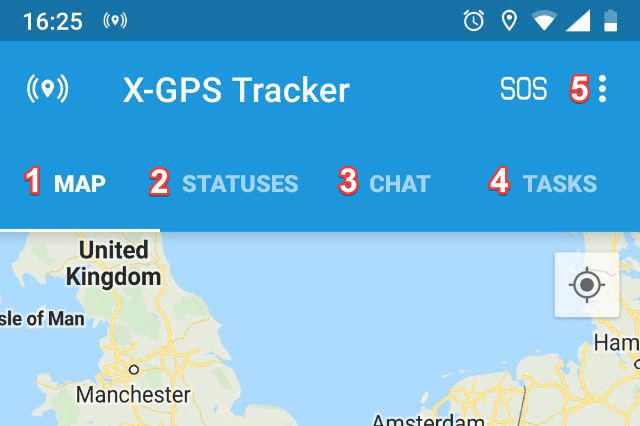
In the “Map” section, you have the following options:
1. Go instantly to your current location - Available only when the tracking is enabled in the settings.
2. Zoom Map - Using the “+” and “-” buttons you can zoom in or out.
3. Check-in - Allows you to fix your location on the map, attach up to 9 photos and add a comment.
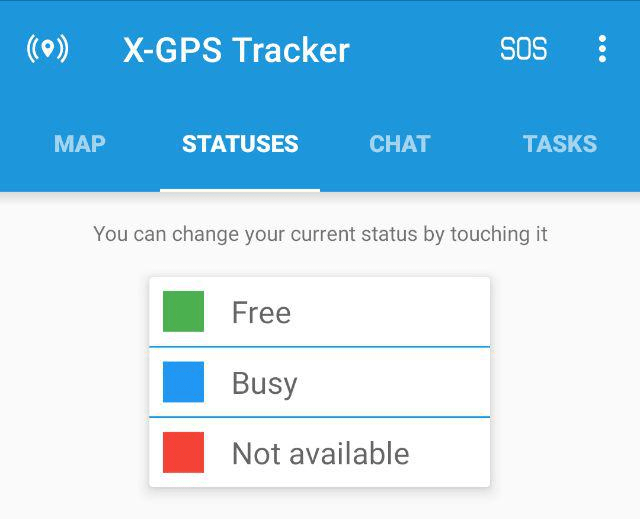
The list of available statuses can be assigned by the supervisor via the web interface of the monitoring platform. The statuses allow the supervisor to see the current status of employees and to select those who are currently free.
The supervisor can change status in the web-interface or allow the employee to change it himself.
To change the status, simply tap it with your finger.
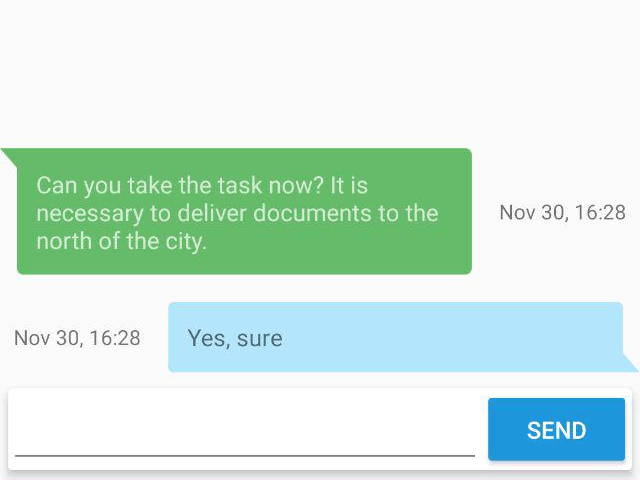
In the “Chat” section, an employee can send and receive messages from the supervisor. In large companies, it is often more convenient for the supervisor to chat with several employees than to call each other separately by phone.